Someone on your team probably copies the same information into two systems every day.
It might be a new customer going from the website form into the CRM and then into the accounting software. It might be the weekly numbers pulled from three places into one spreadsheet. Each copy takes a few minutes. Together they add up to a real part of someone’s job, and every copy is a chance to get it wrong.
That is a workflow problem, and it is usually the right place to start automating.
What is workflow automation?
Workflow automation is software doing the repetitive steps of a process that people currently do by hand: moving information between systems, sending routine messages, creating records and assigning tasks. People still make the decisions. The automation handles the copying, chasing and checking in between.
Five workflow automation examples for small businesses
These are the automations small businesses tend to set up first, because the work is frequent, the steps are predictable and the cost of getting it wrong by hand is easy to see.
- Lead routing. A web form or inquiry creates a contact in the CRM, assigns it to the right person based on location, service or size and notifies them straight away. Nothing sits in a shared inbox waiting for someone to notice it.
- Follow-up. After a quote, a call or a missed appointment, a timed sequence of reminders and messages goes out automatically and stops as soon as the person replies.
- Invoice and bill entry. Invoices arriving by email are read, the details pulled out and a draft entry created in the accounting system for someone to approve.
- Customer onboarding. When a deal closes, the account, the project, the welcome email and the internal tasks are all created at once, so the handoff from sales to delivery doesn’t depend on memory.
- The weekly report. Numbers are pulled from the CRM, accounting and operations systems into one dashboard or summary that updates itself, instead of being rebuilt by hand every Monday.
What should you fix before you automate?
Automating a messy process makes the mess faster. Before building anything, it is worth getting three things straight.
- Write the process down. If two people do the task two ways, decide which way is right first. Writing an SOP for it is often the quickest way to find out.
- Take out the steps nobody needs. Approvals that never get refused and reports nobody reads should go before the automation is built, not after.
- Decide where the data lives. When the same information sits in three systems, pick the one that is the source of truth and let the others follow it.
This is the order our process improvement work follows: document, simplify, then automate what is still done by hand.
Which tools do you need?
Often fewer than people expect. Most CRMs, accounting systems and project tools have built-in automation that covers simple steps inside that one product, and it is worth using before adding anything new.
When a workflow crosses several systems, we usually connect them directly through their APIs rather than stacking connector tools on top. That keeps the moving parts few, the running costs predictable and the whole thing easier to fix when something changes. Connector tools still have a place for simple, low-volume jobs.
Some steps need reading or judgment, like sorting an inbox or drafting a reply. That is where AI agents can sit inside an automation, with a person approving what matters.
How we build workflow automation
We map the workflow with the people who do it, take out the steps that shouldn’t exist and agree on where the data should live. Then we build the automation with the tools you already pay for where they can do the job, test it on real cases and hand it over with written instructions for how it works.
That is our Workflow Automation work. A few of the problems we have solved this way are on Our Work.
Common questions about workflow automation
Which workflows should a small business automate first?
Start with work that happens often, follows the same steps every time and causes problems when it is missed or done wrong. Lead routing, follow-up, invoice entry and weekly reporting are common first choices. Avoid automating anything the team still does in different ways until the process is agreed.
Do we need Zapier to automate workflows?
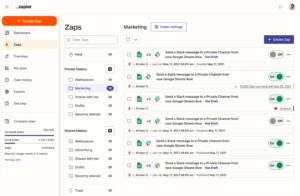
Not necessarily. Many systems have built-in automation, and most can be connected directly through their APIs. Connector tools like Zapier are useful for simple, low-volume jobs, but complex or high-volume workflows are usually more reliable and cheaper to run when the systems are connected directly.
How long does it take to automate a workflow?
A single, well-defined workflow between two systems can often be built and tested in a few weeks. Most of the time goes into agreeing how the process should work and testing it on real cases. Workflows that cross several systems or need data cleaned up first take longer.
What happens when an automation breaks?
Good automations are built to fail loudly. They alert a named person when something goes wrong, rather than silently skipping records. Written instructions for how each automation works, and an owner who checks on it, make it far easier to fix when a system changes.